⌨️ How to use
Better /help replaces the vanilla /help command with a clearer, interactable, paginated list, and adds a detailed page for individual commands or arguments.
Command list
Run:
/help
You get a paginated list of commands you can use:
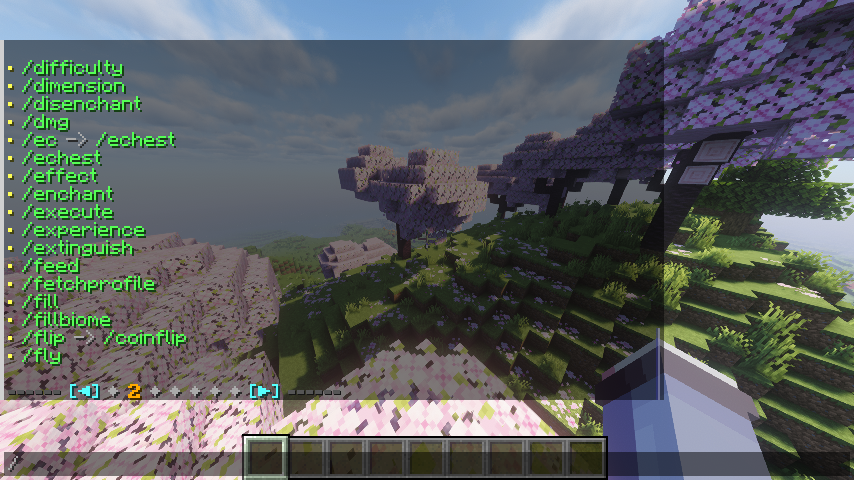
- Click the left or right arrows to move one page
- Click a page marker to jump straight to that page
Hover a command name to see more information, such as:
- Description (when available)
- Usage
- Which mod the command came from (when available)
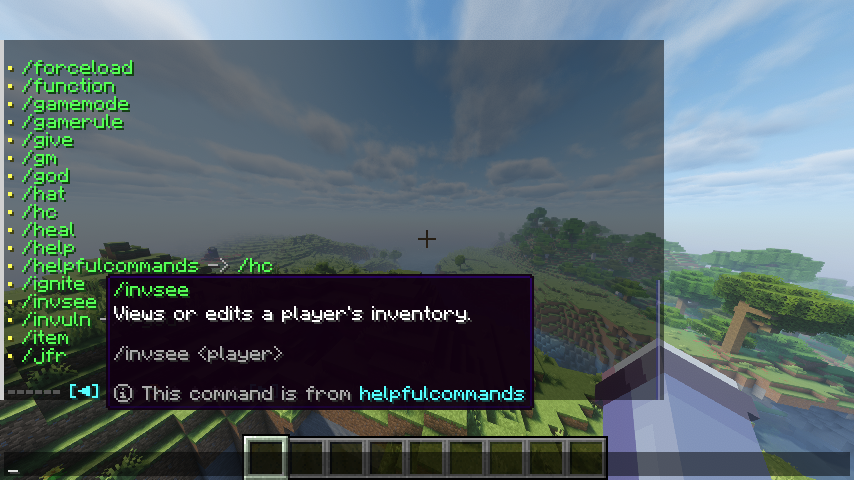
Click a command name to paste it into chat.
Detailed help for a command or argument
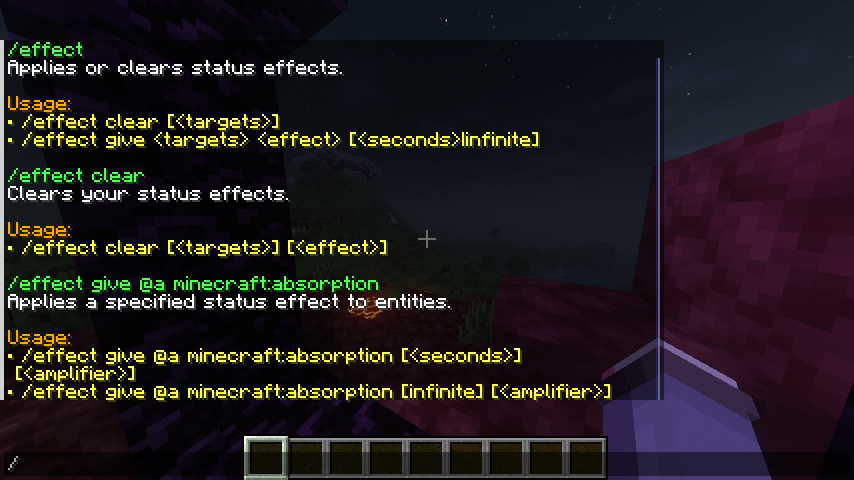
For more detail on one command or a specific argument path, run:
/help <command...>
This page can include:
- A description of the command or argument (when available)
- Usage lines for what you can type next
- The id of the mod that provided the description (when available)
Argument descriptions
Arguments can have their own descriptions. Looking up a deeper path (for example /help enchant @a minecraft:sharpness 1) may show a different description than /help enchant alone.
Mod homepage link
If a mod provides homepage metadata, the mod id in the detailed help can be a clickable link.